Not a chat that writes snippets — an AI software company. A CTO architects and gates, a CFO plans the cost, and a swarm of agents builds, reviews, merges, releases, deploys, and self-heals. You watch and steer it all from a real IDE.
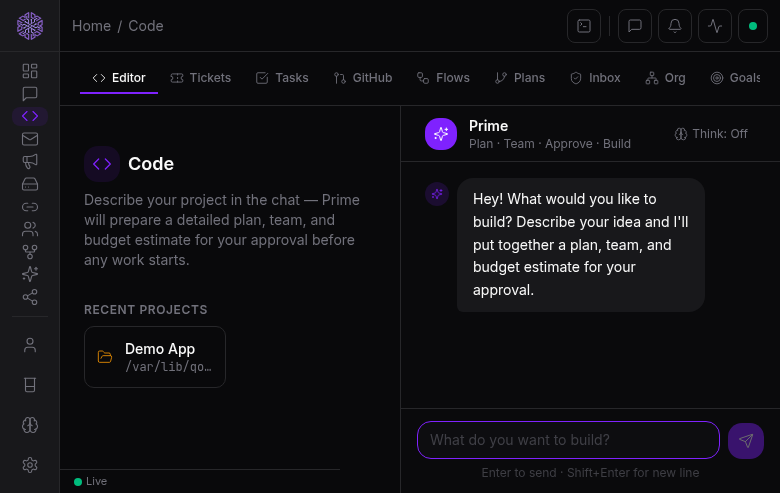
Describe it, one agent builds it, the preview hot-reloads as code is written, and you iterate by chatting. No gates. For prototypes and quick builds.
The full gated pipeline driving an autonomous swarm on your GitHub repo. For real applications — plan, estimate, build, review, merge, release, deploy, fix.
A CTO agent interviews you, then writes a product spec, a technical spec, and a system design — each a versioned document you approve before the next begins. Nothing is built until you sign off.
A CFO agent proposes the team and the model for each role — from the providers you enabled — with a real dollar breakdown and a timeline. Approve it and those become hard spending caps. A live burn meter warns at 80% and pauses safely at 100%.
Agents build as a real team: each works on its own isolated branch, opens a pull request, gets reviewed, and merges through a queue that resolves conflicts. Git is the source of truth, integration only via review.
Review pull requests inside Qorven — file tree, side-by-side diff, line comments, approve or request changes — mirrored straight to GitHub. Never leave the platform.
A live coordination room and a glass-box dashboard: cost burn over time, what each agent is doing right now, the task flow, and PR status — as a feed and as a task graph.
Ship to a target you choose: run locally, host on a public URL through Qorven, push to Vercel or Netlify, or download the code. Deploy follows an approved release.
When CI fails, a deploy breaks, or a user reports a bug, Qorven opens a GitHub issue, hands it to the CTO to triage, and re-assigns the fix to the swarm — looping until green, within budget.
A VSCode-feel editor with code intelligence — hover, go-to-definition, autocomplete, live error underlines for Go, TypeScript, and Python — a file explorer, a live preview with hot-module reload, and a real terminal.
When an agent changes a file you see exactly what changed as a syntax-highlighted diff — and can undo its whole turn in one click. The agent writes; you stay in control.
Long autonomous sessions survive restarts — work resumes from where it stopped if anything crashes, stuck or runaway agents are caught, and hard limits on time, steps, and cost keep everything in bounds.
Free, self-hosted, and working for you in minutes.
 Qorven